
Best document management software 2026 for law firms: comparison between iManage, NetDocuments and M-Files
Summary
- iManage: the benchmark for large law firms
- Key features of iManage
- Limitations
- NetDocuments: the cloud-native for those who want simplicity and mobility
- Key features of NetDocuments
- Limitations
- M-Files: Intelligent metadata-based document management
- Key features of M-Files
- Limitations
- Comparison Chart: iManage vs NetDocuments vs M-Files
- How to choose the right software for your practice
- The role of IT in document management: why software alone is NOT enough
- FAQ – Frequently asked questions
- What is the best document management software for a law firm in 2026?
- Is cloud document software secure for confidential legal data?
- How long does it take to implement a document management system in a law firm?
- Does the document management software integrate with the electronic filing system?
- How to choose between cloud and on-premise for a law firm?
- Is AI in document software reliable for a law firm?
- Choose wisely, invest in your productivity
Managing legal firm documents without a structured system means wasting time, risking errors, and compromising confidential data. In 2026, with the increase in digital practices, remote work, and regulatory obligations regarding cybersecurity, document management software has become an integral part of the infrastructure of any modern law firm.
But choosing the right platform is not simple. The market offers dozens of solutions, and the needs of a law firm are very specific: absolute confidentiality, granular access control, integration with Electronic Litigation Management systems, quick content search, and increasingly, artificial intelligence functionalities for working better on large volumes of deeds and contracts.
In this article, we compare three of the most used solutions in law firms internationally and growing also in Italy: iManage, NetDocuments, and M-Files. The goal is not to find an absolute winner, but to help you understand which tool is best suited to your firm, your workflows, and your level of digital maturity. Why document management is a priority for law firms in 2026
Every law firm produces and manages a growing amount of confidential information: deeds, contracts, Email , internal memos, minutes, expert reports, case attachments. Without a centralized document platform, this information ends up scattered across network folders, attachments Email , desktop premises and device employee personal details.
The result is inevitable: slow searches, versions of file outdated, uncontrolled sharing, and, in the worst case, data security breaches.
Regulatory requirements add further pressure. The Cybersecurity for law firms in 2026 requires access control today, audit trail , encryption and backup structured: all elements that a good document management system supports natively.
With the entry into force of the AI Act 2026 and the widespread use of tools such as Microsoft Copilot for law firms , the quality and organization of documents also become the basis on which new artificial intelligence systems applied to law work. Disorganized data means ineffective AI.
Adequate document management software is not an accessory cost: it is the infrastructure on which productivity, security, and customer service quality are based. If you want to understand how to structure your firm's entire IT ecosystem, also read our guide to Managed IT services for law firms and notary offices . Evaluation criteria: what really matters to a law firm
Before entering the comparison, it is useful to define the parameters that truly matter in the legal sector. Not all document management software is designed for law firms, and even among those that are, the differences are significant.
The main criteria to be evaluated are:
- Security and Access Control : encryption, matter-centric permissions, multi-factor authentication.
- Version Management : precise tracking of every change with the possibility of restoration.
- Search full text and for metadata : Search for a document by content, not just by name file .
- Workflow and automations : approvals, revisions, notifications, document lifecycle management.
- audit trail : log complete with all accesses and operations, essential in the legal field.
- Integration with existing tools Outlook, Microsoft 365, Teams, practice management software.
- Remote access and mobile : Remote work guaranteed, even on device furniture.
- Ease of adoption : learning curve and quality of system change support.
- Artificial intelligence integrated Automatic classification, semantic search, document summarization.
With these criteria in mind, let's see how the three platforms stack up.
iManage: the benchmark for large law firms
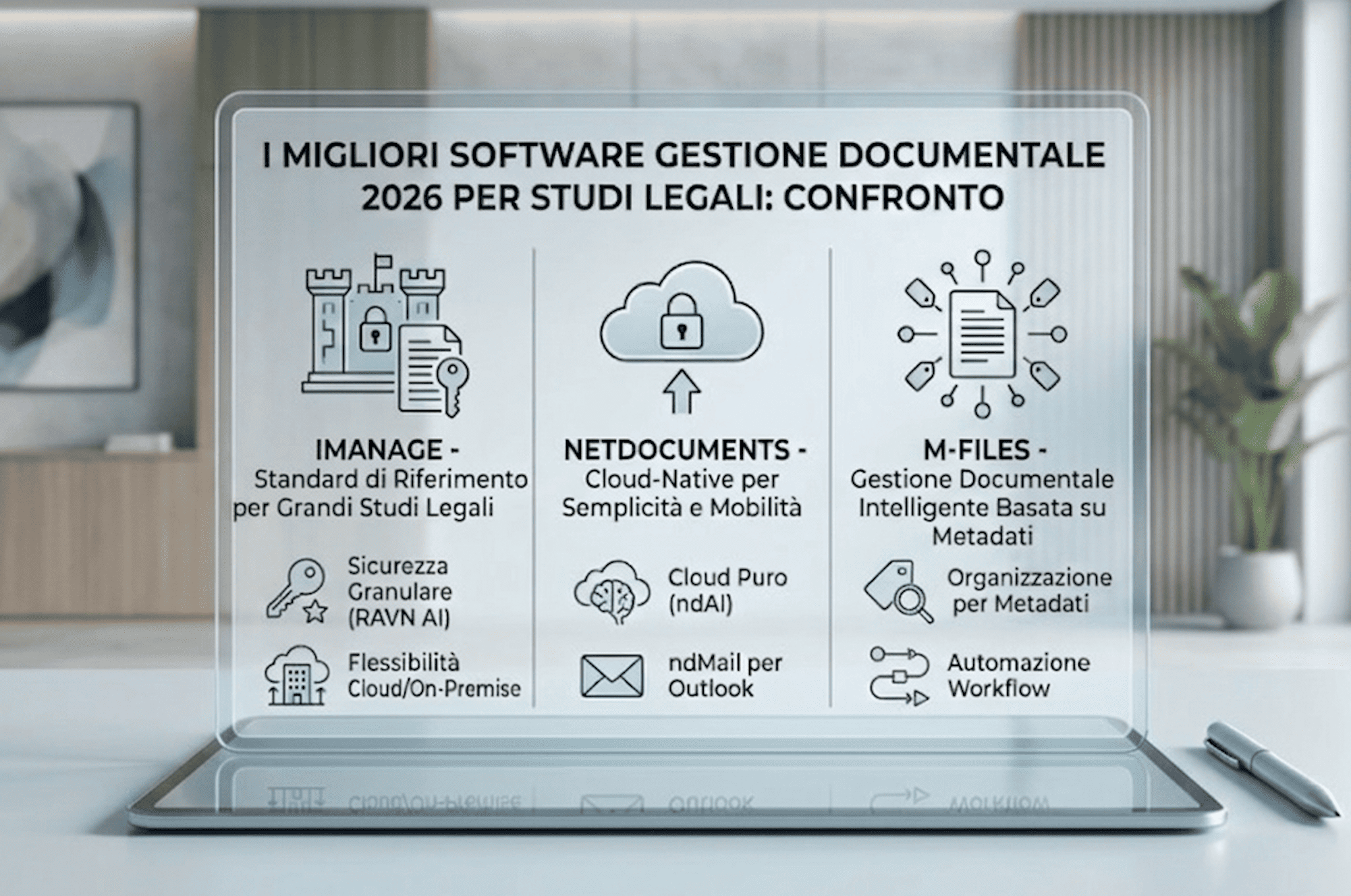
iManage is the document management solution designed specifically for law firms and Legal Department Business. Its native design for the world legal differentiates it from generic software, offering features targeted at industry workflows.
Key features of iManage
- Native integration with the legal world organization by client and practice, version control, and management of Matter , controlled and secure sharing.
- Granular access control Security Policy Manager ): allows precise definition of who can view, edit, download, or share each document. Essential for the confidentiality required by the sector (ethical and regulatory obligation).
- Integrated artificial intelligence iManage RAVN ): AI features for automatic classification, key information extraction, semantic search, and contract analysis. Drastically reduces the time spent on manual tasks, especially for large document volumes.
- Flexibility of deployment : available in cloud sia On-premise . Crucial factor for studies with specific requirements for compliance or strategic choices on data infrastructure.
- Deep integration with Microsoft 365 Seamless integration with Outlook, Word, Excel, and Teams, allowing direct saving of documents to iManage from Office applications.
Limitations
iManage is designed for medium-large structures. For small firms or those with budget limited may be oversized. The implementation cost — which includes configuration, data migration, and training — can be significant. There is an initial learning curve, although the interface has improved considerably in recent years. Who is it suitable for
Structured law firms, with 10 or more professionals, managing complex cases, international clients, and stringent security and requirements compliance . It is also the ideal solution for those who want to integrate AI into the document workflow in a governed and secure way.
NetDocuments: The cloud-native for those who want simplicity and mobility
NetDocuments is the platform cloud-native most widespread in the Anglo-Saxon world and growing rapidly in Europe. Unlike iManage, it has no version On-premise : it is entirely designed for the cloud , with all the advantages this entails in terms of access, automatic updates, and scalability. You can learn more about its features directly on NetDocuments official website .
Key features of NetDocuments
- Cloud-First Architecture None server to manage, automatic updates, access from any device, and backup guaranteed by the Microsoft Azure infrastructure. For firms that want to reduce the burden of internal IT, this is an immediate and concrete advantage.
- ndMail for Outlook : the ndMail add-in allows you to save, classify and search Email directly from Outlook without leaving the application, with a direct impact on daily productivity.
- Security level enterprise operates on Azure infrastructure with AES-256 encryption at rest and in transit, SOC 2 Type II and ISO 27001 certifications. It also includes Information Rights Management to protect documents even after external sharing.
- Artificial intelligence with ndAI : NetDocuments has integrated AI functionalities through ndAI: document summarization, clause extraction, semantic search, and classification assistance. It is one of the most advanced platforms in AI integration oriented towards the sector legal .
- Onboarding faster : compared to iManage, it has a more contained learning curve and a modern and intuitive interface.
Limitations
NetDocuments is only cloud for studies with internal policies that impose data On-premise is not a viable option. Some advanced features are only available in higher plans, and migrating large historical archives requires careful planning. Who is it suitable for
studies that want to embrace the cloud completely, reduce dependence on internal IT, and have an always-updated platform. It adapts to structures of any size, with particular effectiveness in practices that make intensive use of Email and distributed collaboration.
M-Files: Intelligent metadata-based document management
M-Files is a platform of information management which distinguishes itself from others through a radically different approach: instead of hierarchical folders, it uses based on metadata as the main organizational principle. A document does not have a fixed location but is found based on what it is, not where it was saved. You can explore the features dedicated to the legal sector directly on M-Files official website .
Key features of M-Files
- Organization by metadata, not by folders : each document is associated with metadata (type, client, case, date, status, responsible person) and can be easily found even without remembering where it was archived. This approach radically improves search.
- Flexibility and configurability : M-Files is highly configurable and can be adapted to the specific processes of a firm ( Workflow approvals, contract management, electronic files, court deadlines.
- Hybrid Cloud M-Files supports hybrid environments, making it suitable for firms with heterogeneous infrastructures or specific data localization requirements, an aspect also relevant from a GDPR perspective. Legal document management .
- AI and automatic classification M-Files integrates artificial intelligence for automatic document classification during upload, suggesting the correct metadata.
- Broad integrations integrates with Microsoft 365, Teams, Salesforce, SAP, and many other platforms.
Limitations
M-Files has a higher initial learning curve compared to NetDocuments, especially for those accustomed to traditional folder systems. The paradigm shift requires structured training and a well-planned adoption project. Who is it suitable for
Firms that want a scalable, flexible system based on a smarter organizational model. It is particularly suitable for organizations that manage large volumes of heterogeneous documents or have complex internal processes to automate.
Comparison Chart: iManage vs NetDocuments vs M-Files
| Criterion | iManage | NetDocuments | M-Files |
| Designed for the legal | ✅ Native | ✅ Native | ⚠️ Configurable |
| Options deployment | cloud / On-premise | Solo Cloud | cloud Hybrid |
| Integrated AI | Raven | AI | Automatic classification |
| Document Management | For practice/ Matter | For practice/matter | For metadata |
| Outlook/M365 Integration | Great | Excellent (ndMail) | Good |
| Learning curve | Media | Low | Media-High |
| Suitable for small studies | ⚠️ Partially | ✅ Yes | ⚠️ Partially |
| Suitable for large studies | ✅ Yes | ✅ Yes | ✅ Yes |
How to choose the right software for your practice
The choice of document management software should never start from the product sheet or price list, but from the firm's actual processes: how work is done today, where the most time and information are lost, what the security priorities are, and what tools are already in use.
The right questions to ask before evaluating any platform are:
- How many professionals need to access the documents, and from how many locations or device different?
- It is necessary to keep data On-premise or you can work entirely in cloud ?
- How structured is the document approval and review workflow?
- Does the firm already use Microsoft 365, Teams, or a specific management system to integrate?
- Are there any particular requirements for compliance tied to the type of customers or the target sector?
- What is the average level of digital familiarity of the Team , even staff From the secretariat?
If the law firm is small or medium-sized , with a Team already accustomed to Microsoft 365 and without requirements On-premise , NetDocuments offers the best balance of functionality, simplicity, and adoption speed.
If the firm is structured and manages international clients or already uses tools like iManage (very popular in large Italian firms Partner by network international), iManage remains the most solid choice for those who want a standard in an established sector, with integrated AI and total control over security.
If instead the document volume is high and uneven , or if the firm wants a flexible and scalable system beyond traditional document management, M-Files offers a more modern approach that, once assimilated, significantly improves operational efficiency.
In any case, before purchasing it is essential to test the platform with a real pilot project, not just a demo commercial.
The role of IT in document management: why software alone is NOT enough
A common mistake is thinking that adopting document management software solves the organization problem by itself. In reality, the software is necessary but not sufficient. For it to truly work, three additional elements are needed:
- A Governance chiara: who decides how they are named file ? Who can share what with whom? Who is responsible for final storage? Without defined rules, even the best software becomes disorganized within a few months.
- Structured training most failures in adopting new document management software are not due to technology, but to the lack of training for Team . Attorneys and staff must understand not only how to use the tool, but why to do it in a certain way.
- Adequate IT infrastructure document management software cloud requires stable connectivity, device updated, secure authentication and backup correctly configured. Without a solid infrastructure underneath, even the best platform works poorly. This is exactly the type of support that Lanpartners has been providing to law firms for over twenty years, with a IT Concierge® approach that accompanies the professional at every stage.
FAQ – Frequently asked questions
What is the best document management software for a law firm in 2026?
It depends on the structure and needs of the law firm. iManage is the standard for large studies with requirements enterprise . NetDocuments is the best choice for those who want cloud , simplicity, and integrated AI. M-Files is ideal for those who manage large volumes of heterogeneous documents and want a metadata-based system. There is no universal answer: the right choice is the one that fits the firm's real processes.
Is cloud document software secure for confidential legal data?
Yes, if the provider CIFRA offer end-to-end , granular access control, audit trail and certifications recognized as ISO 27001 and SOC 2 Type II. All three platforms analyzed meet these requirements. Security in cloud , if well configured, is often superior to that of a server unmonitored location.
How long does it take to implement a document management system in a law firm?
It depends on the complexity of the firm and the amount of documents to migrate. For small firms with NetDocuments, you can be operational in 2-4 weeks. For larger firms with iManage or M-Files, a complete project can take 2-4 months, including configuration, migration, and training.
Does the document management software integrate with the electronic filing system?
iManage in particular is already used by many Italian law firms that operate with tools such as Consolle Avvocato and Desktop Telematico. The integration with the Microsoft 365 ecosystem, common to all three platforms, greatly facilitates the management of procedural documents.
How to choose between cloud and On-premise for a law firm?
The choice depends on policy internal factors, customer requirements, and available IT resources. The cloud reduces management costs and guarantees automatic updates; the On-premise offers total control over data. In many cases, the hybrid solution is the most balanced. We can help you evaluate the right option for your specific situation.
Is AI in document software reliable for a law firm?
The AI integrated into these platforms is designed to support work, not to replace professional judgment. Features such as automatic classification, semantic search, and summarization are useful for saving time on operational tasks. Human oversight remains indispensable at all times, especially for documents with high legal value. To understand how to use AI correctly and in compliance with the AI Act, read our deep dive into artificial intelligence in the law firm .
Choose wisely, invest in your productivity
Document management is one of the technological investments with the most direct and measurable return for a law firm. Less time wasted searching for file , fewer version errors, fewer security risks, more effective collaboration, and a more professional perception by the client.
iManage, NetDocuments, and M-Files are three of the most robust solutions available today. Each has a clear positioning: iManage for those seeking the Standard Enterprise of the legal sector, NetDocuments for those who want cloud modern and rapid adoption, M-Files for those who focus on flexibility and intelligent organization by metadata.
The final choice always depends on the specific context of the firm. If you want concrete support in evaluating, selecting, and implementing the most suitable solution, the Lanpartners team is by your side with the IT Concierge® approach that has been supporting major Italian law firms in their digital evolution for over twenty years.
We invite you to contact us for any information.
